
Drills
Alongside the 3D scenarios, you may be assigned drills focused on specific threats — for example Email Drills and Deepfake Drills. They’re designed to improve your ability to recognise different types of audio, video, and written content that can be dangerous.
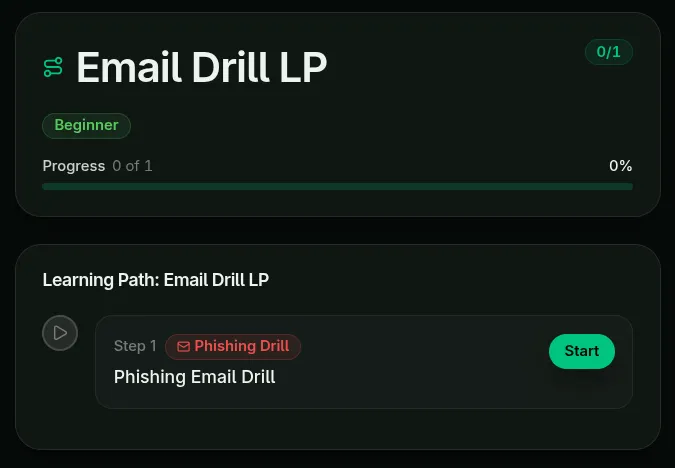
Email drills (walkthrough)
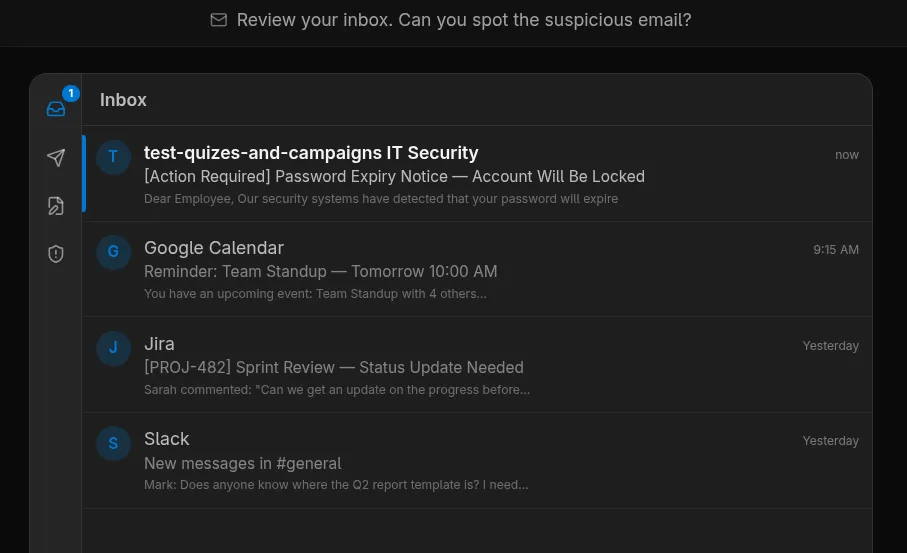
Section titled “Email drills (walkthrough)”Once the drill starts, you’ll be prompted to open your inbox and check for any suspicious emails.
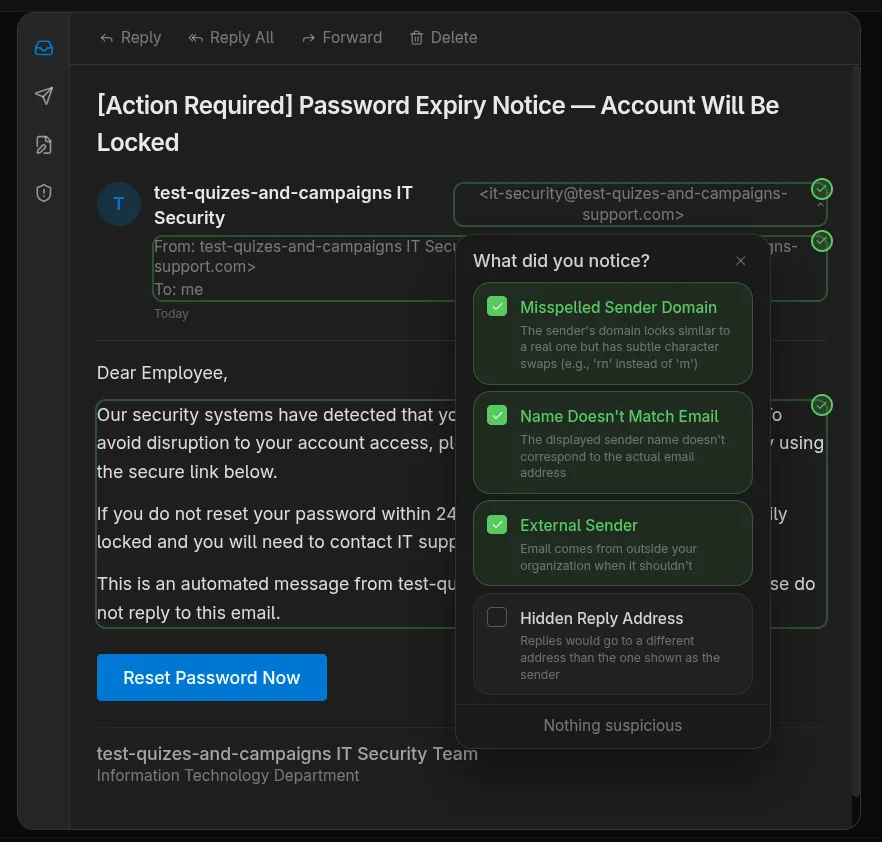
After opening the email, click on every part you think is a red flag — a misspelled sender domain, manufactured urgency, an unsafe http:// link, an unexpected attachment, and so on.
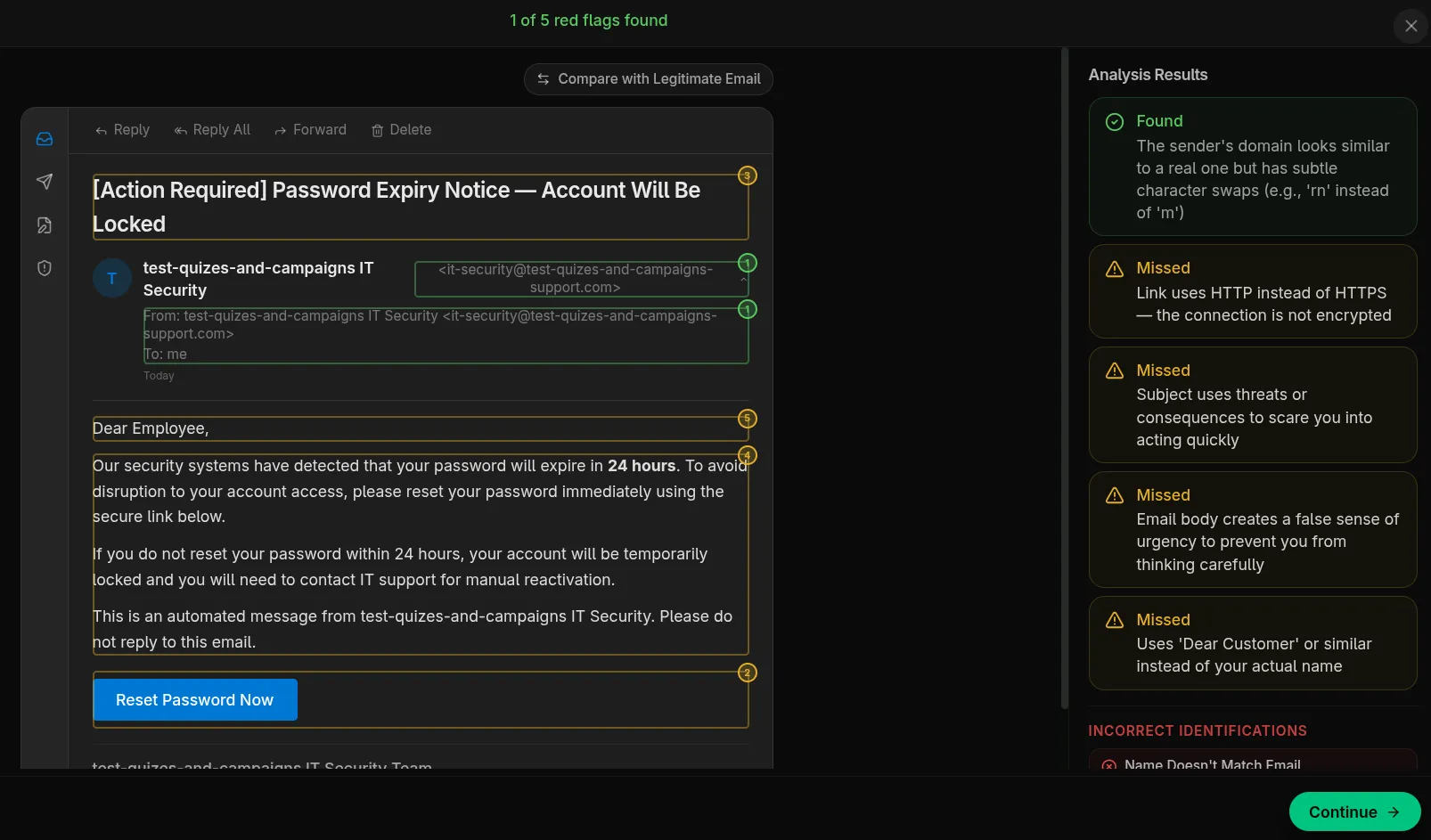
When you submit, you’ll see which red flags you caught and which you missed. Click Continue to take the short quiz that wraps up the exercise.
Deepfake drills
Section titled “Deepfake drills”Deepfake drills work the same way conceptually: you watch or listen to AI-generated audio/video clips and decide which are authentic and which are manipulated, then complete a short quiz.
Other drill types
Section titled “Other drill types”Every drill follows the same pattern: you react to the scenario, mark the red flags you notice, see what you found and missed, choose the right way to respond, and finish with a short quiz. Everything happens inside the simulation. No real messages are sent and nothing you click is real.
| Drill | What you do |
|---|---|
| Smishing | Open a simulated phone inbox, find the suspicious text message among the normal ones, then tap its sender, link and wording to mark the red flags. |
| Chat | Someone posing as IT, an executive or a supplier messages you in a Teams, Slack, WhatsApp or LinkedIn-style chat. Choose your replies as the conversation unfolds, then review the thread for red flags. |
| MFA | Sign-in approval prompts keep arriving on your phone, sometimes with a message from “IT” urging you to approve. Deny each one you didn’t start: a single Approve lets the attacker in and ends the run. |
| Vishing | Your phone rings and a caller (a synthetic voice, with captions) tries to talk you into sharing a code, a password or a payment. Choose what to say at each turn, then review the call transcript. |
| QR Phishing | Scan a QR code on a sticker, poster or note with a simulated phone camera, open the page it leads to, and check the placement, the web address and the page itself. |
| Fake Login | You’ve already clicked a link and landed on a sign-in page. Inspect the address bar, the security details, the form and the footer before typing anything. The page never accepts input. |
| AI Chat | You’re under a deadline and a public AI assistant offers to help. Decide at each step what’s safe to paste in, and what should never leave your company. |
| Attack Chain | The same attacker reaches you by email, then by text, then by phone. Decide how to handle each one, then review the whole timeline to spot how they connect. |
| OAuth Consent | A genuine-looking “this app wants access to your account” screen appears. Check the app, its publisher, the permissions it asks for and where it sends you, and mark what’s wrong. Clicking Allow on a real screen like this gives the app lasting access, even past your password and MFA. |
| Attachment | An ordinary-looking email carries a file. Inspect the sender, the file name and type, and the document’s request to “Enable Content” before opening or unlocking anything. |
| Social Media | Review your own simulated feed: a post you’re about to publish, a photo, a connection request. Mark the details an attacker could use against you or your company. |
Some drills use sound. Use headphones in a shared space.
Saving your result
Section titled “Saving your result”When you finish a drill, you’ll briefly see Saving your result…. If the connection drops at that moment, you’ll see Couldn’t save your result — please try again. Click Try again. Your result is kept while the page stays open, so don’t close or refresh the tab until it’s saved.
Your result
Section titled “Your result”Once it’s saved, you’ll see your score for the whole drill: the suspicious message you spotted, the red flags you found, how you chose to respond, and your quiz answers. Red flags you miss, and harmless things you mark as red flags, lower the score, so a perfect quiz alone doesn’t guarantee a pass.
The score is shown next to the pass mark your organization has set:
- Drill passed: this attempt reached the pass mark. Click Continue.
- Below the pass mark: this attempt fell short of the pass mark. Click Try again to start a fresh attempt, or Exit to come back later. If you passed an earlier attempt, that pass still counts: the screen says so, and Continue comes first.