
Roles and permissions
Every user has exactly one role. A role is a set of permissions. Manage roles under User Management → Roles (you need Manage Roles).
Built-in roles
Section titled “Built-in roles”| Role | Permissions |
|---|---|
| Admin | Everything, except Manage Deepfake Drills |
| User | None. Users can take their own training and see their own progress. |
Built-in roles are marked System. Their permissions can’t be changed, and they can’t be renamed or deleted.
The Admin role is kept up to date automatically: when RansomLeak adds a feature, your admins get its permissions on the next update. The exceptions are Manage Deepfake Drills and exporting phishing reports with personal data, which you grant deliberately through a custom role.
Custom roles
Section titled “Custom roles”To give someone part of the admin rights (for example a content manager, or a compliance officer who only needs reports):
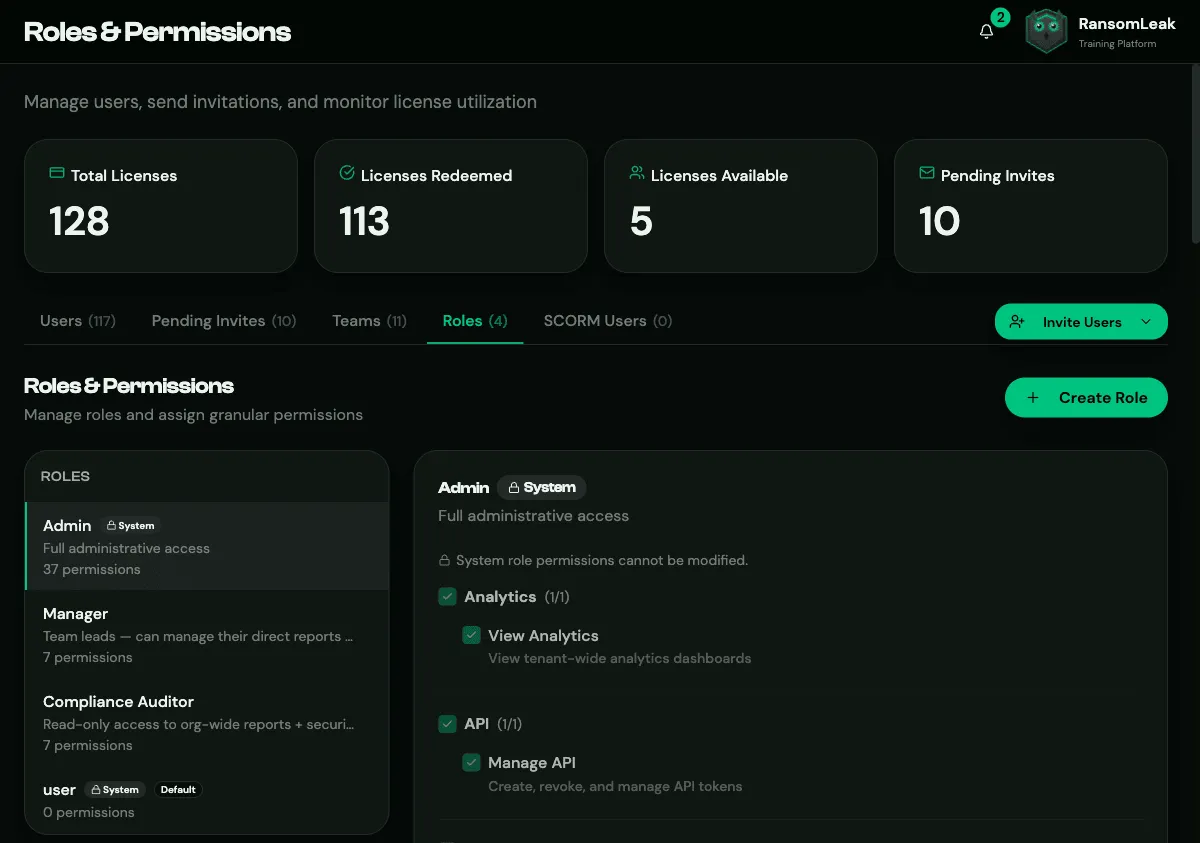
- Click Create Role, and enter a Name and an optional description.
- Tick the permissions the role needs, one at a time or a whole category at once.
- Give the role to people from the Users list.
A role can be deleted only when no one has it and it isn’t the default role.
Default role
Section titled “Default role”The default role is given to anyone who gets an account without a role being chosen:
- invitations with no role;
- people who sign in with SSO for the first time;
- people created by SCIM, or removed from all of their identity provider groups.
It’s User unless you change it: click Set as default on another role. People who already have accounts keep their current role.
Roles from identity provider groups
Section titled “Roles from identity provider groups”With SCIM, a group synced from your identity provider can grant a role to its members. Set this on the group under User Management → Groups, not on the role: see Roles from groups. A role shows which groups grant it, with their priority. When someone is in several of those groups, the lowest priority number wins.
Permission reference
Section titled “Permission reference”| Category | Permission | Allows |
|---|---|---|
| Users | View Users | See the user list and profiles |
| Manage Users | Edit and disable users, manage teams | |
| Invite Users | Send invitations and grant licences | |
| Assign Roles | Change people’s roles | |
| Courses | View Course Catalog When Hidden | Browse courses even when the catalogue is hidden |
| SCORM | Manage SCORM Packages | Create and manage SCORM packages; see Framework Coverage |
| Campaigns | View Campaigns | See campaigns, their analytics and audit log; send reminders |
| Manage Campaigns | Create, edit, delete campaigns and add participants | |
| Learning Paths | View Learning Paths | See learning paths, read-only |
| Manage Learning Paths | Create, edit, publish, assign; approve enrollment requests | |
| Custom Content | Manage Custom Content | Upload your own SCORM packages and documents |
| Drills | Manage type Drills (one per drill type) | Create and manage drills of that type |
| Exercises | Browse Exercises Freely | Move through exercise steps without completing the previous ones (useful for reviewing content) |
| Reports | View Team Reports | See and export the progress of your direct reports |
| View All Reports | Reports and the Compliance page for the whole organization | |
| Analytics | View Analytics | Organization-wide dashboards |
| Feedback | View Feedback | Exercise and general feedback |
| Security Events | View Security Events | The security audit trail |
| API | Manage API | Create and revoke API tokens |
| Tenant Settings | Manage Settings | Branding and general settings |
| Manage Roles | Create and edit roles | |
| Manage Email (SMTP) | Custom SMTP settings | |
| Manage Security | MFA, IP allowlisting and SAML SSO | |
| Manage Integrations | SCIM, webhooks and chat integrations | |
| Manage Archives | Archive and reset data for a compliance period |
The Human Risk Score has its own category. With the Phishing Simulations add-on, an extra category appears for simulations.