
Webhooks and API
API tokens
Section titled “API tokens”Under Integrations → API (you need Manage API), click Generate New Token, give it a name and choose its scopes:
| Scope | Allows |
|---|---|
| Analytics API | Reading training analytics |
| Security Events API | Exporting the security audit trail |
| Compliance API | Reading compliance evidence |
| Phishing Events API | Reading phishing simulation events |
| Risk Signals API | Sending external risk signals |
| Integration API | Write access for partner integrations, such as the Freshservice app |
The token is shown once. Store it securely. A token can only do what its scopes allow. Tokens don’t expire, so Revoke any you no longer use. The page lists the available endpoints.
Campaigns created through the API
Section titled “Campaigns created through the API”Campaigns created through the Integration API send no emails by default. To turn emails on, set emailConfig (and, if you want them, notifyManagers and ccManager) when you create, clone or update the campaign. With campaignStart turned on, activating a campaign or adding people to a running one sends them the start email and the assignment notice (in the app, and through any webhooks or Slack/Teams apps you’ve connected), just like in the app. With it off, those API calls don’t contact participants. A draft campaign that starts automatically on its start date announces itself as it would in the app. If you turn campaignStart on for a campaign that’s already running, participants who haven’t had the start email get it within about 6 hours.
Groups and learning paths through the API
Section titled “Groups and learning paths through the API”With the Integration API scope, a script can route people into training, for example by an assessment score. Users are identified by their external ID.
GET /api/integration/groupslists your groups and whether the API may change each one’s members.POST /api/integration/groups/{id}/memberswith{"externalUserIds": [...]}adds people. The group’s automatic learning paths are assigned to them right away.DELETE /api/integration/groups/{id}/members/{externalUserId}removes someone; training already assigned is kept.GET /api/integration/learning-pathslists published learning paths, andPOST /api/integration/learning-paths/{id}/enrollmentswith{"externalUserIds": [...], "dueDays": 14}enrolls people directly (dueDaysis optional).
Unknown external IDs, and those of disabled users, are listed in the response instead of failing the call. Learners aren’t notified of assignments made this way (no email, in-app or chat message); the learning_path.assigned webhook still fires. Groups synced from your identity provider and groups that grant a role can’t be changed through the API.
Example: routing by assessment score. Create a group per score band (say ≤45, 46–70 and 71+), give each its own automatic learning paths, then have your script add each person to the group for their score.
Webhooks
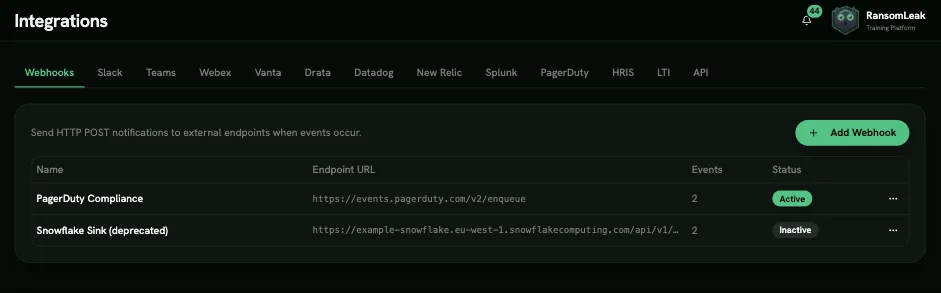
Section titled “Webhooks”Under Integrations → Webhooks, click Add Webhook and enter a name, your Endpoint URL, a Signing Secret (generated if left blank), and the events to send:
| Group | Events |
|---|---|
| Campaigns | campaign.assigned, campaign.deadline_approaching (15 days), campaign.deadline_imminent (5 days), campaign.deadline_final_day (1 day), campaign.completed |
| Learning paths | learning_path.assigned, learning_path.completed |
| Exercises | exercise.completed |
| Badges | badge.awarded |
| Phishing simulations | phishing.simulation.failed, phishing.reported |
| Chat apps | chat.message.reported (an employee used Report to Security in Slack; carries the message permalink) |
| Risk assessment | assessment.topic_gap_detected (a topic became a knowledge gap for a person; carries the topic key and source: answers, or deadline for a topic they were invited to but never answered), assessment.baseline_completed (a person finished their baseline). Subscribing to these, or changing the URL, secret or activation of an endpoint that receives them, needs the View individual risk permission. |
Each request is a JSON POST with these headers:
X-Webhook-IdX-Webhook-TimestampX-Webhook-Signature: sha256=<HMAC-SHA256 of the body, using your signing secret>
Verify the signature before trusting a request. Failed deliveries are retried up to 5 more times: after 1 minute, 5 minutes, 30 minutes, 2 hours and 12 hours. Use Send Test and Delivery Logs to troubleshoot.