
Running and tracking a campaign
Tracking progress
Section titled “Tracking progress”Each campaign has these tabs:
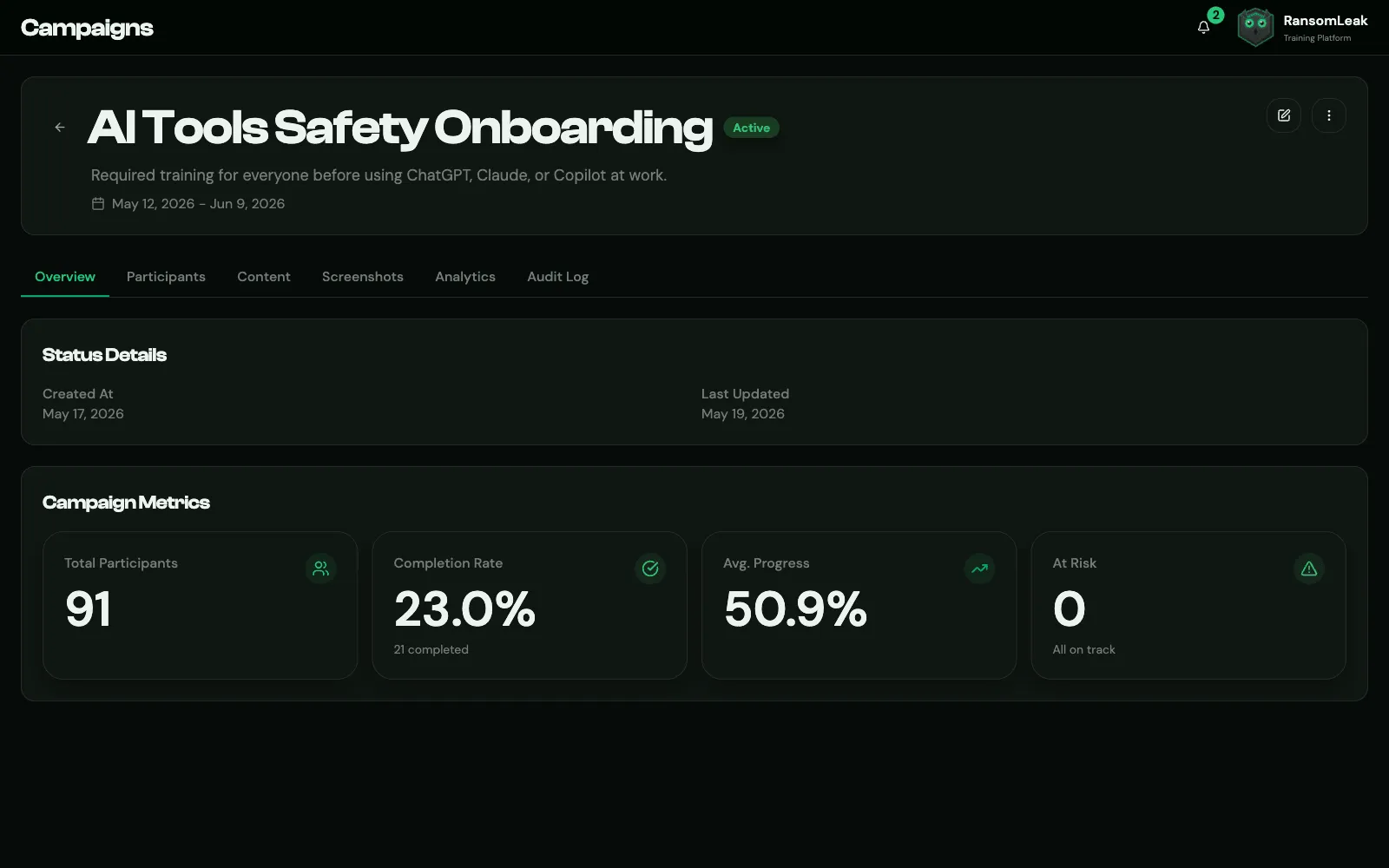
- Overview: Total Participants, Completion Rate, Avg. Progress, At Risk (fewer than 5 days left), and compliance frameworks for learning-path campaigns.
- Participants: per-person status, progress, team, enrollment date and deadline, with search and a status filter.
- Analytics: Completion Trend, Status Distribution and At-Risk Participants. Export creates a PDF or CSV report.
- Audit Log: every change made to the campaign and by whom, exportable as CSV.
Export CSV on the Participants tab downloads everyone matching the current search and status filter. For a full report with charts, use Analytics → Export or a Campaign report under Reports.
Changing dates
Section titled “Changing dates”Edit Campaign changes the name, description, dates and email settings.
- The start date can’t be changed once the campaign has started.
- The end date can move earlier or later, but not into the past. Moving it earlier can make people Overdue.
- Extending the end date of a Completed campaign reopens it. Overdue participants go back to In Progress, and reminders may be sent again.
Changing status
Section titled “Changing status”Use Start Campaign on a draft, or the status menu (Change Campaign Status):
| From | You can |
|---|---|
| Draft | Activate, cancel |
| Active | Suspend, mark as completed, cancel |
| Overdue | Mark as completed, cancel |
| Suspended | Resume, cancel |
| Completed | Reactivate (if the end date hasn’t passed) |
| Cancelled | Set back to draft, activate |
A campaign can’t be activated, resumed or reopened without content. Start Campaign is greyed out until you add some. Starting a draft notifies participants immediately and sets the start date to today.
When you change the status of several campaigns at once, campaigns where that change isn’t allowed are skipped, and you’re told how many were updated.
Suspending hides the campaign from learners and pauses progress tracking. Cancelling stops it for good, unless you reactivate it. The Overview tab shows when a campaign was suspended or cancelled.
Deleting
Section titled “Deleting”Delete Campaign permanently removes the campaign and all its progress records. Active and Overdue campaigns can’t be deleted (the menu item is greyed out). Suspend or cancel them first.
Consider keeping completed campaigns rather than deleting them: they’re your training records for audits.