
Human Risk Score
Find it under Human Risk → Risk Score. Automation and Baseline Assessment sit in the same menu group. To act on scores automatically, see Risk automation.
What the score means
Section titled “What the score means”Each person gets a score from 0 to 100:
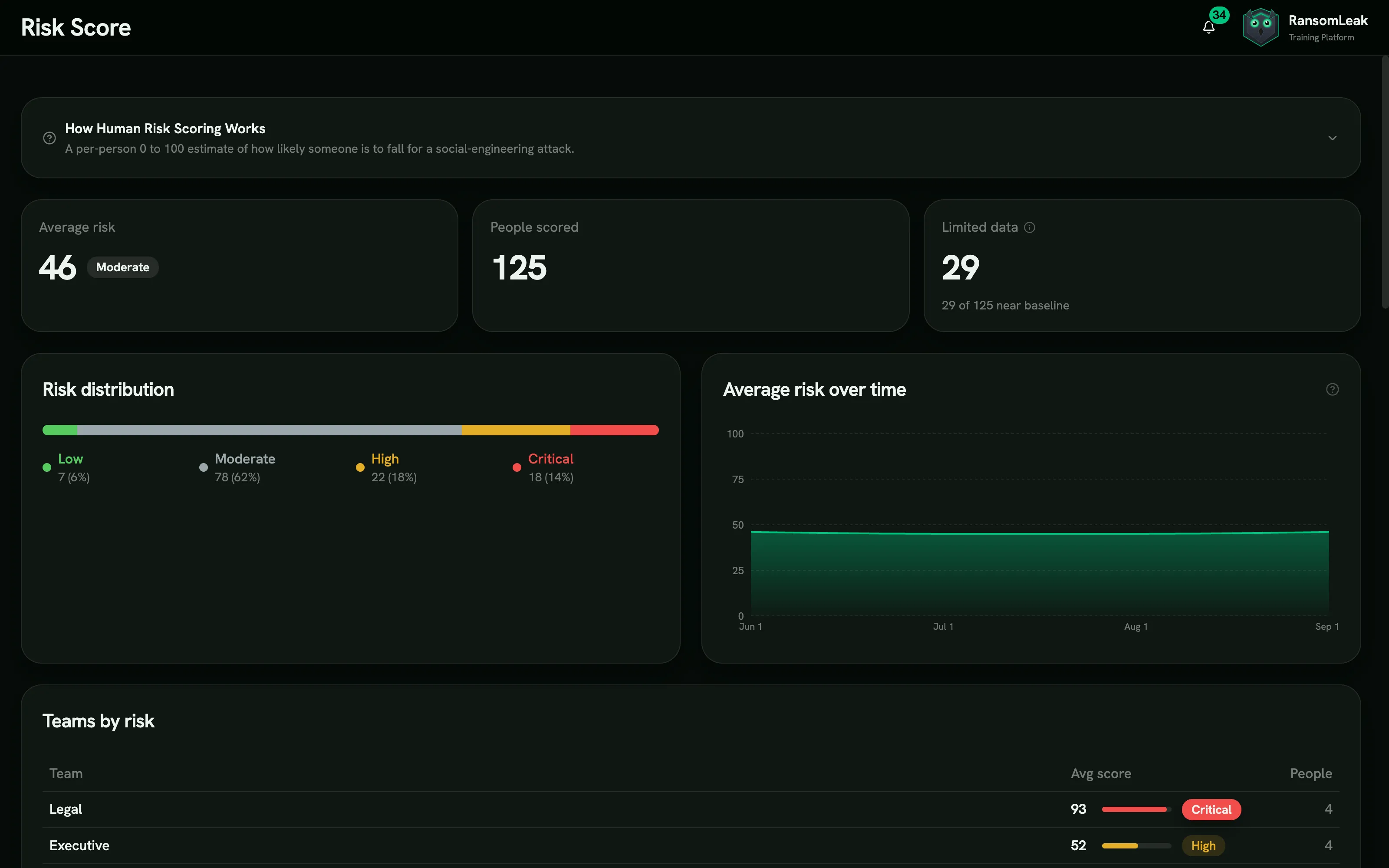
| Band | Score |
|---|---|
| Low | 0–24 |
| Moderate | 25–49 |
| High | 50–74 |
| Critical | 75–100 |
Scores are recalculated every night. Older events gradually count for less: an event’s weight halves every 90 days.
What goes into it
Section titled “What goes into it”Why this score on a person shows the breakdown:
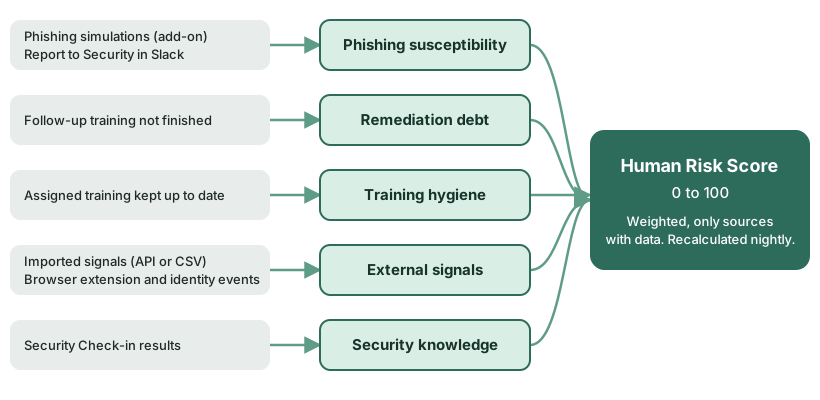
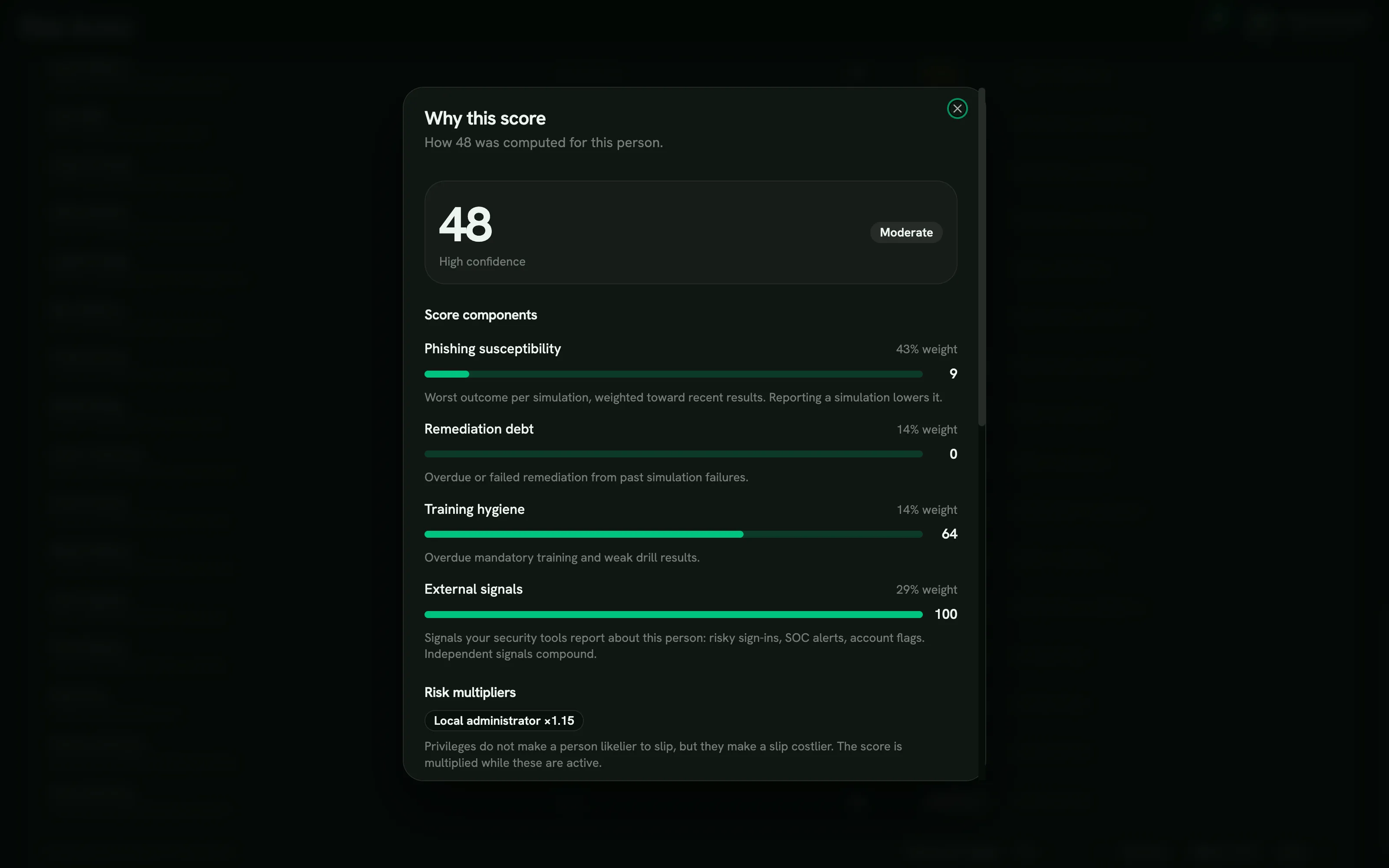
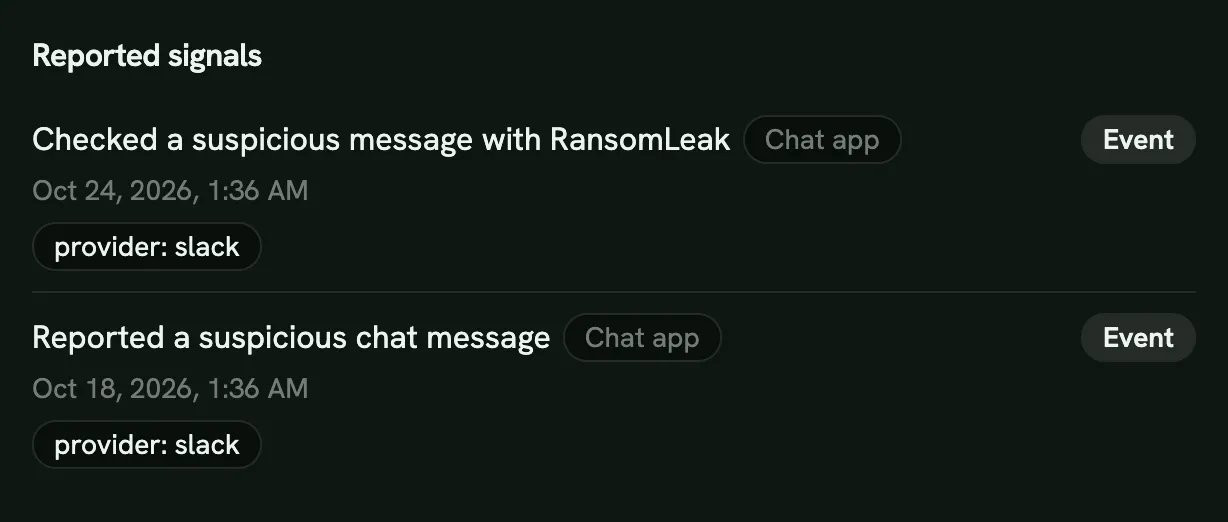
- Phishing susceptibility: how they respond to simulations (clicks, submitted data, reports). Only with the Phishing Simulations add-on. Reporting a suspicious Slack message with Report to Security also counts in their favor, at most once every 30 days. So does checking a message that has a link or a red flag with the app’s message check, also at most once every 30 days.
- Remediation debt: follow-up training they haven’t finished.
- Training hygiene: whether they keep up with assigned training.
- External signals: optional data you import from other security tools with Actions → Import signals.
- Security knowledge: the share of a person’s measured Assessment topics that show a gap. Topics tied to their role count double: for someone who approves payments, a payment-fraud gap weighs twice as much. Topics not measured yet are left out. It only counts for people with Assessment results, and the breakdown lists each gap (for example “Gap: Payment fraud”) and up to two strong topics. Its default weight is 0.3. See Security Check-ins.
Chat app reports and message checks appear under Reported signals in the breakdown:
The weights are adjustable under Actions → Scoring settings. Only the sources that have data for a person count toward their score.
The dashboard
Section titled “The dashboard”Average risk, People scored, Risk distribution, Average risk over time, Teams by risk and a People list. Filter by team to focus on one group. Seeing individual scores needs the View individual risk permission. Managers see their direct reports.