
Custom content
Custom content lets you add your own material alongside RansomLeak’s, for example your security policy as a PDF, a video message from leadership, or an existing SCORM course. You need the Manage Custom Content permission.
Custom content is delivered as a step in a learning path. It doesn’t appear in the course catalogue.
Supported files
Section titled “Supported files”| Type | Files | Maximum size |
|---|---|---|
| SCORM package | .zip (SCORM 1.2 or 2004) |
250 MB |
| Presentation | .pptx, .ppt, .odp |
100 MB |
.pdf |
50 MB | |
| Video | .mp4, .webm |
30 MB |
| Audio | .mp3, .ogg, .wav |
15 MB |
| Image | .png, .jpg, .gif, .webp |
10 MB |
Upload
Section titled “Upload”- Go to Content Management → Custom Content and click Upload Content.
- Drop a file (one at a time), give it a Name and an optional description, and click Upload.
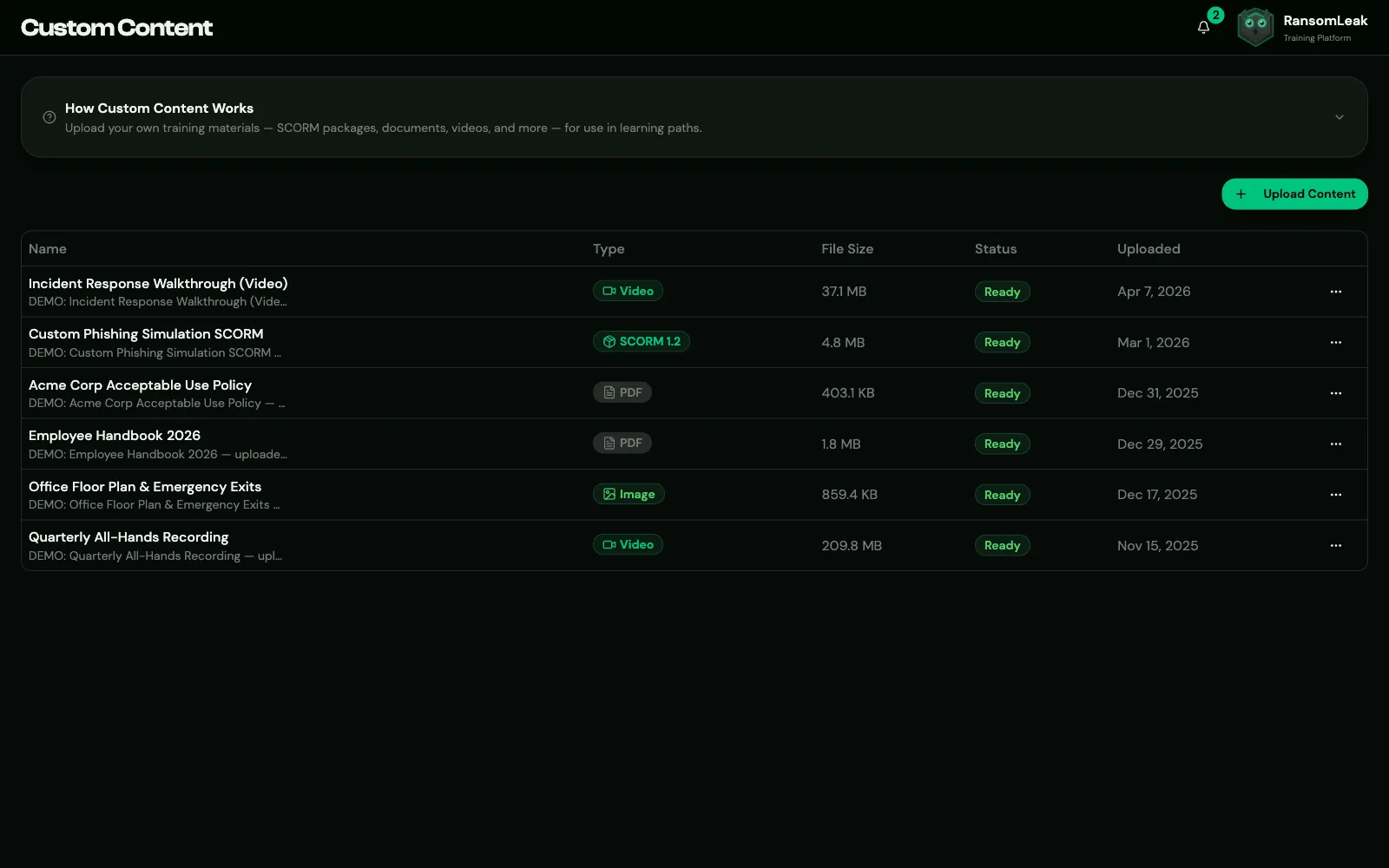
Documents are Ready immediately. SCORM packages are Processing for a moment while RansomLeak reads the package, then become Ready, or Failed with the reason.
Failed uploads are removed automatically after 7 days.
Add it to a learning path
Section titled “Add it to a learning path”In the learning path builder, click Add Step, choose Custom Content and pick the item. Only Ready items are listed.
Custom content counts as SAT content, so it can be added to SAT learning paths but not to AppSec ones.
How completion works
Section titled “How completion works”| Content | Complete when |
|---|---|
| SCORM 2004 | The package reports it’s completed |
| SCORM 1.2 | The package reports completed or passed. A finished attempt reported as failed also counts as completed. |
| Documents, video, audio, images | The learner clicks Mark as Complete (available after a few seconds) |
SCORM progress is saved automatically, so learners can leave and resume. Presentations can’t be previewed in the browser; learners download them, then mark them complete.
Completing an item again
Section titled “Completing an item again”Custom content counts toward campaigns and learning paths like exercises do:
- Campaigns count a completion made while the learner is in the campaign. An earlier completion counts only if it falls within the campaign’s Completion recognition window.
- Yearly learning paths count only completions made in the current cycle.
- Directly assigned learning paths accept any past completion.
When a completion is needed again, for example for this year’s policy campaign, the learner’s Start button opens a fresh attempt: a SCORM package starts from the beginning, and a document can be marked complete again. Review reopens the completion that already counts.
Delete
Section titled “Delete”Use ⋯ → Delete. The item is deleted immediately, without a confirmation. It can’t be deleted while a learning path uses it; remove the step first. To change a file, upload the new version and swap the step.