
Analytics dashboards
The dashboards are under Administration → Analytics. Every chart has a help button that explains how its numbers are calculated.
Tenant Analytics
Section titled “Tenant Analytics”An organization-wide overview of learning activity.
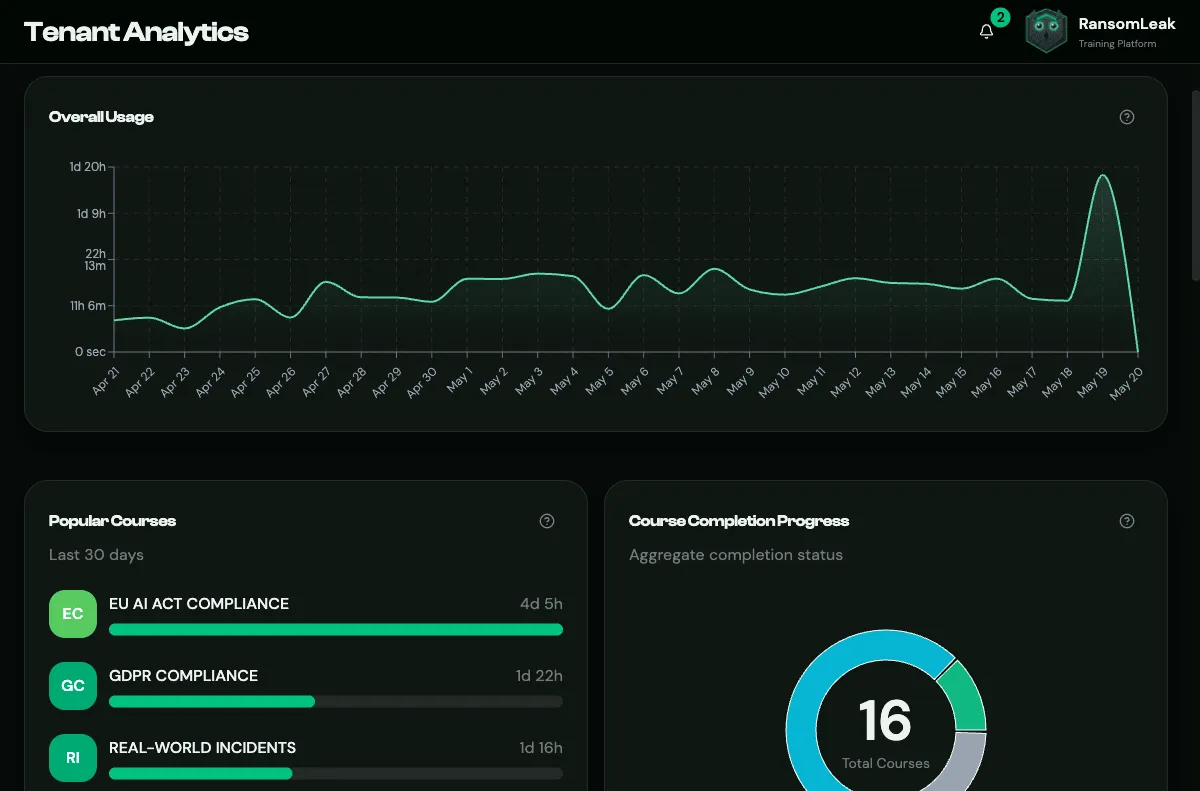
Filters (top of the page):
- Team: everyone (All Users) or a single team.
- Date range: Last 30 days (default), 60 or 90 days, 6 months, a year, or a Custom range within the last 365 days.
- Share copies a link that opens the dashboard with the same filters.
What you’ll see:
| Widget | Shows |
|---|---|
| Total Time, Avg per User | Time spent training in the period |
| Overall Usage | Training time per day |
| Active Campaigns, Recent Campaigns | Campaigns and their progress |
| Popular Courses | Top 5 courses by time spent |
| Course Completion Progress | Courses completed, in progress and not started |
| Engagement Summary | New and active users, completed courses and exercises |
| Completion Rate, Score Distribution | How learners perform on quizzes |
| Problem Exercises, Hardest Quiz Questions | Where learners struggle most (questions need at least 3 attempts to appear) |
The quiz widgets appear only when quizzes are enabled (Tenant Settings → Learning & Assessment).
Course Analytics
Section titled “Course Analytics”Open Course Analytics and choose a course to see:
- total time spent and, with quizzes on, the completion rate (best attempt per learner) and number of attempts;
- how far learners have got (Completion Status Distribution) and the status of each exercise (Completed, Needs Retry, Not Completed);
- Course Statistics: a per-person table with time spent, progress and average quiz score, searchable by email.
Quiz Analytics
Section titled “Quiz Analytics”Filter by course, exercise, team and date range to see:
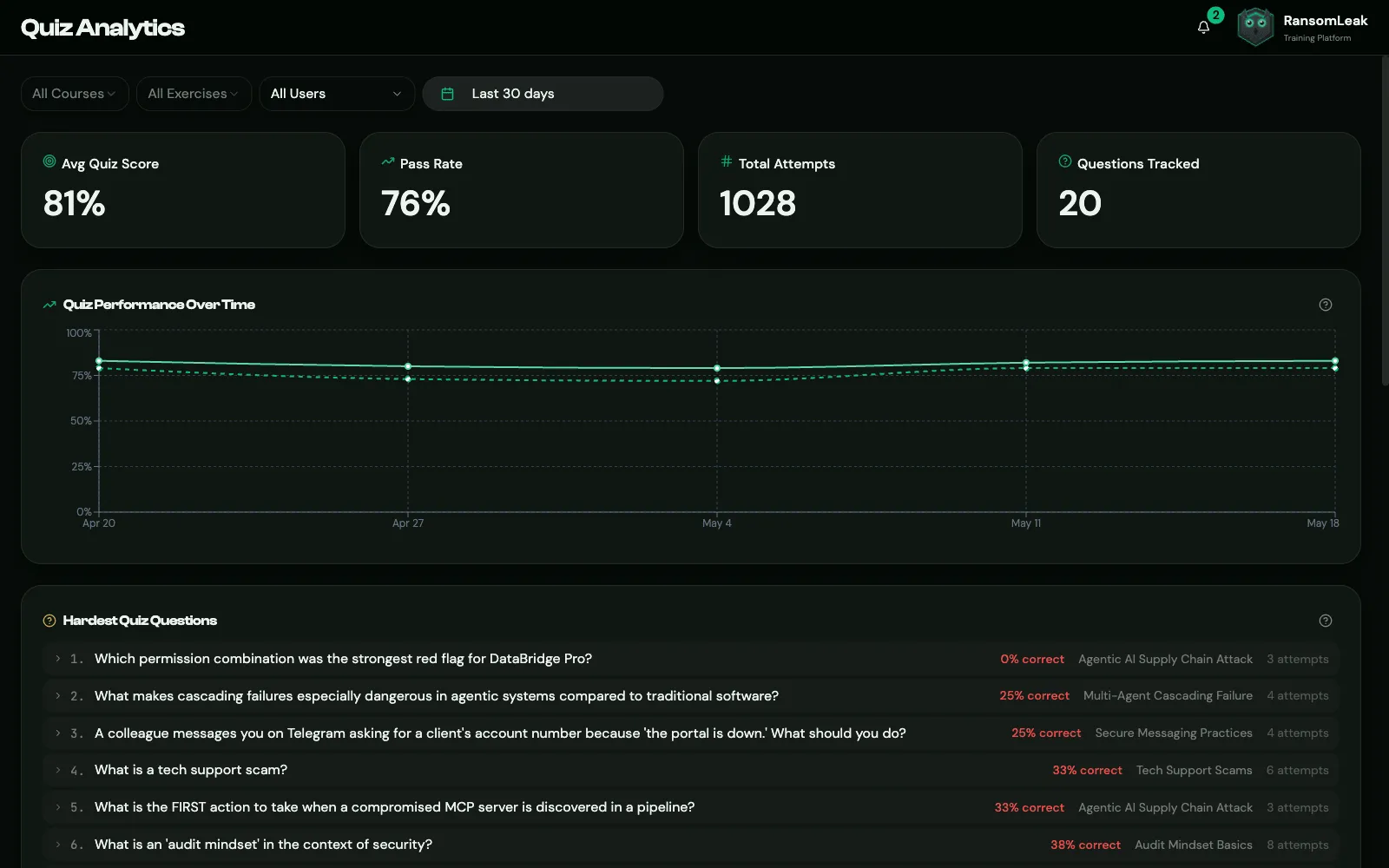
- Avg Quiz Score, Pass Rate, Total Attempts and Questions Tracked;
- Quiz Performance Over Time, weekly or monthly for longer ranges;
- Hardest Quiz Questions: the 20 questions answered wrong most often. This is useful for spotting topics to reinforce;
- Users Needing Attention: learners who repeatedly struggle, with at least 3 attempts.
Quiz Analytics is empty when quizzes are turned off for your organization.