
Completion and certificates
When a step is complete
Section titled “When a step is complete”| Step type | Complete when |
|---|---|
| Exercise or drill | The learner finishes it and scores at or above the Quiz Completion Threshold. For an exercise that’s the quiz score; for a drill it’s the whole drill score, including red flags found (see Drill scoring). Exercises without a quiz count as passed, and so does any attempt finished while Enable Quiz Functionality is off. An attempt that ends without its quiz being submitted doesn’t count. Each attempt is judged by the settings at the time it was finished, so changing them later never re-grades earlier attempts. |
| Course | Every exercise in the course is complete. |
| Custom content: SCORM package | The package reports that it’s completed or passed. |
| Custom content: document | The learner marks it as complete. |
In a campaign or a new yearly cycle, custom content must be completed again, like exercises. See Completing an item again.
The Quiz Completion Threshold is set for your whole organization under Tenant Settings → Learning & Assessment. The default is 100%, so every question must be answered correctly. A learner who falls short can retry the quiz.
When the path is complete
Section titled “When the path is complete”A learning path is complete when every required step is complete. Optional steps don’t count.
When that happens, the learner:
- gets an in-app notification and an email;
- receives a certificate they can download as a PDF from Certificates.
For repeating system paths, a new certificate is issued each cycle.
Deadlines
Section titled “Deadlines”A learning path has no deadline of its own. A deadline comes from how the learner was enrolled:
- Campaign: the campaign’s end date, plus any extension. Learners see the campaign as Overdue during the grace period.
- Phishing simulation follow-up: the deadline and grace period set on the simulation.
- Repeating system paths: the renewal date of the cycle.
- Team rule: a rule that assigns the path to everyone joining a team can set Due within (days). Each person’s due date is fixed when they’re assigned. See Automatically when people join a team.
Paths assigned directly, at invitation or through the catalogue have no due date.
When a path has a due date from a team rule, learners see Due and the date on its card under My Paths. The card turns amber in the last 3 days and red, with Overdue since and the date, once the deadline passes. The learner can still complete the path; the date disappears once they do. Learners get one reminder email before the deadline and one overdue email; their manager gets the overdue email too.
What learners see
Section titled “What learners see”Under Learning Paths, learners have:
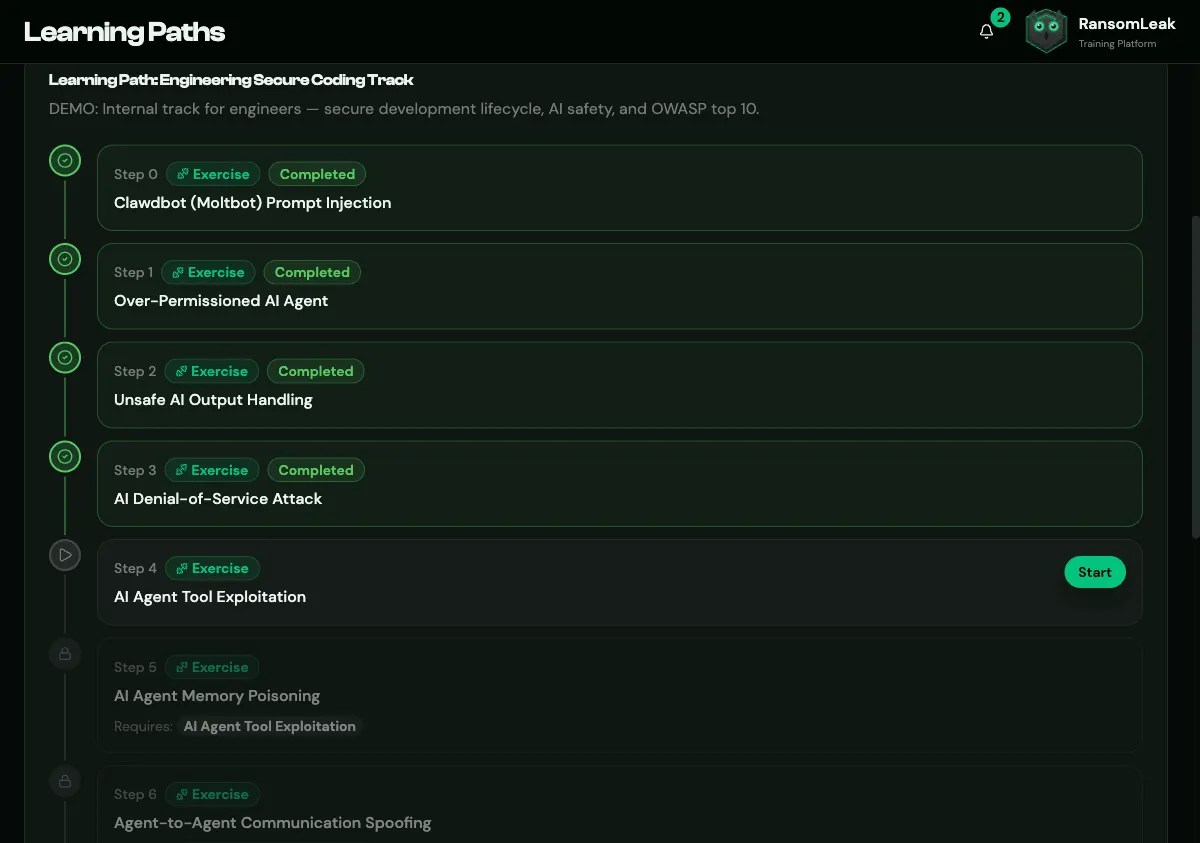
- My Paths: the paths they’re enrolled in, with progress such as 3/5 steps · 60% and a Continue button.
- Catalogue: paths they can join, with Enroll or Request access.
- Requests: the status of their access requests, when they’ve made any.
Opening a path shows Required steps X of Y, any Bonus steps, and each step with a Start, Review or Retry button. Locked steps are greyed out with a lock and show what they require. When everything is done, the page says This learning path is complete.
The learner’s side is covered in the learner guide.