
What is a campaign?
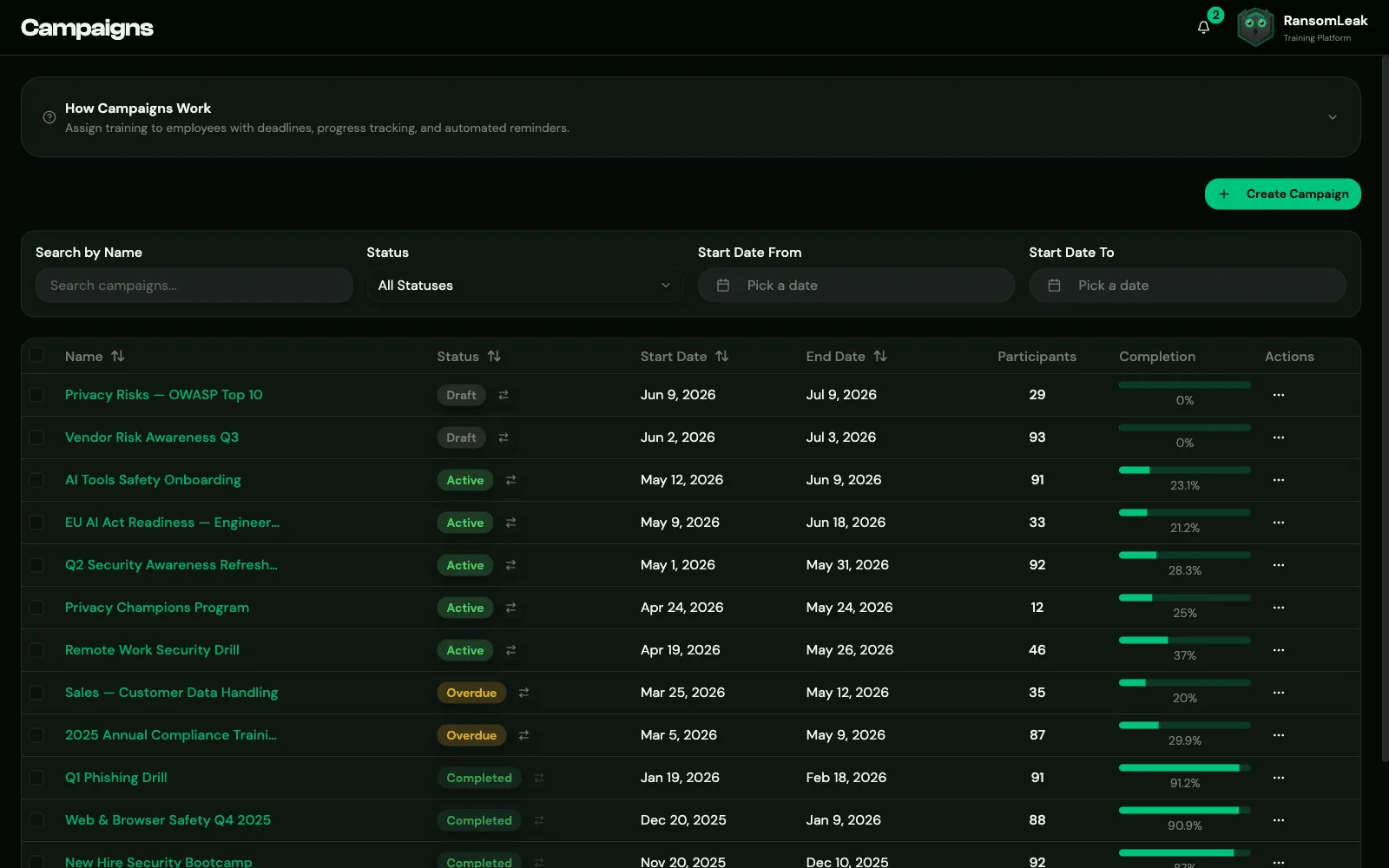
A campaign is a training assignment with a deadline. You choose the content, set a start date and an end date, add participants, and RansomLeak handles the rest: invitations, reminders, progress tracking and reports.
Use campaigns for mandatory training, such as annual security awareness training, onboarding with a due date, or a response to a phishing incident.
What a campaign contains
Section titled “What a campaign contains”Either:
- one learning path (recommended), or
- courses and individual exercises.
A campaign can’t mix the two.
Like learning paths, each campaign is either SAT or AppSec. Its content and participants must match the type, and the type can’t be changed after creation.
How a campaign runs
Section titled “How a campaign runs”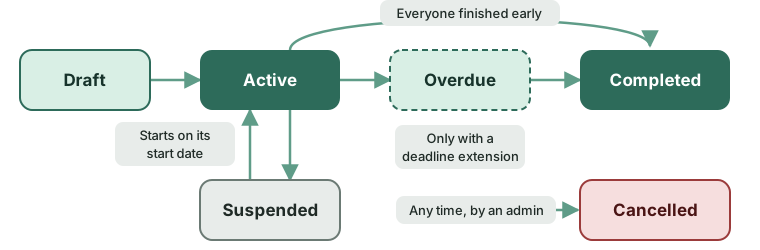
| Status | Meaning | Learners see it? | Progress recorded? |
|---|---|---|---|
| Draft | Being prepared | No | No |
| Active | Between the start and end dates | Yes | Yes |
| Overdue | The end date has passed but the deadline extension period is still running | Yes, with a warning | Yes |
| Completed | Finished | Yes, read-only | No |
| Suspended | Paused by an admin | No | No |
| Cancelled | Stopped by an admin | No | No |
Status changes happen automatically every hour:
- Draft → Active on the start date, once the campaign has content. Participants get the start email. A draft whose end date has already passed isn’t started; extend it first.
- Active → Overdue after the end date, if there’s a deadline extension period or personal deadline extensions.
- → Completed when the extension period has also passed, or as soon as every participant has finished.
You can also change the status by hand. See Running a campaign.
What learners see
Section titled “What learners see”Learners find their campaigns under Campaigns, with the deadline and their progress. During the extension period they see a warning that the deadline has passed but they can still finish. Once the campaign is completed, unfinished work is locked.
See the learner guide to campaigns.