
Settings and audit log
Open Phishing Simulations → Settings. You need Manage Phishing Simulation Campaigns (the Admin role has it). The page has four tabs: General, Transports, Recipient Domains and Audit Log.
General
Section titled “General”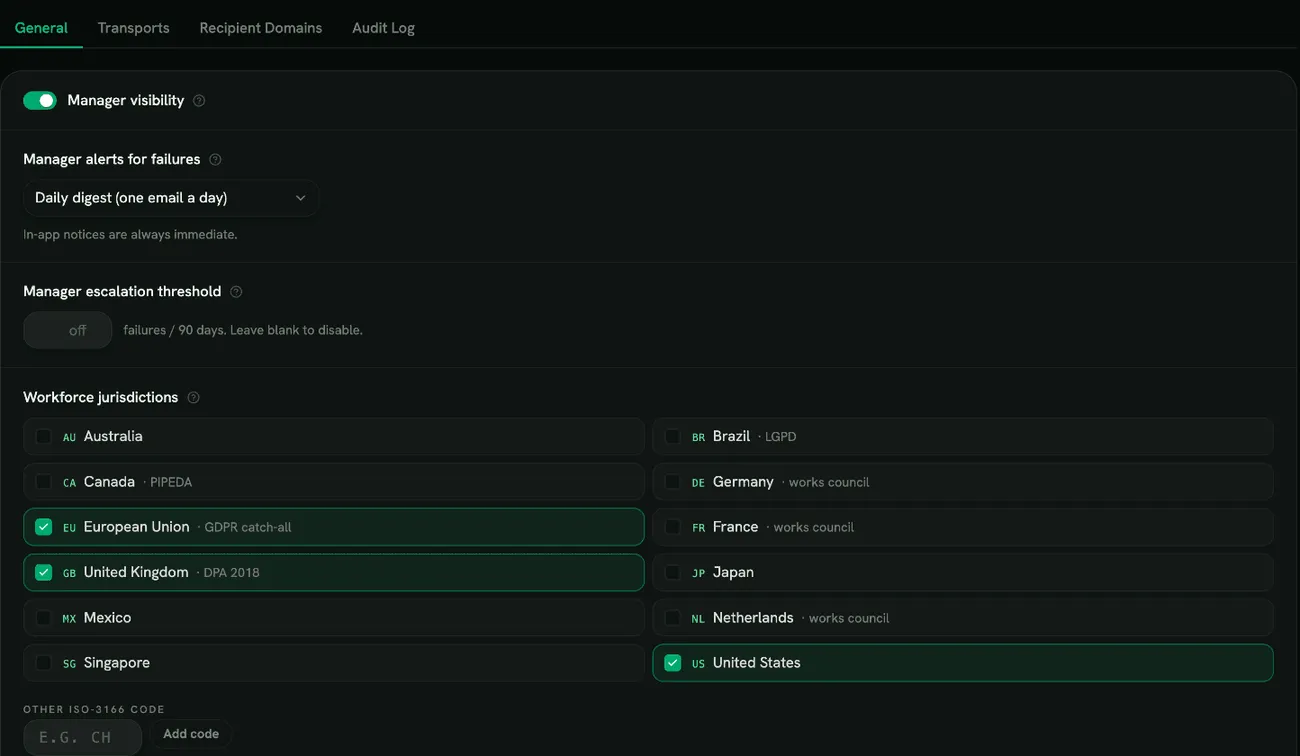
-
Manager visibility: when on, managers see their direct reports’ simulation results on their manager page. Organizations with a works council often keep it off. While it’s off, managers get no failure alerts.
-
Manager alerts for failures: how a manager is emailed when one of their reports clicks, submits details or replies in a simulation:
- Daily digest (one email a day), the default
- Weekly digest (Mondays)
- Email for every failure
- No emails
Managers always get an in-app notice straight away. A digest is only sent when there’s something in it.
-
Manager escalation threshold: after this many failures in 90 days (1 to 50), the person’s manager is emailed. Repeat escalations within the same 90 days aren’t emailed again. Leave it blank to turn it off.
-
Workforce jurisdictions: the countries your employees are in, chosen when you signed the addendum. They decide which legal reminders you see (for example GDPR or works-council notices). Add a country that isn’t listed with Other ISO-3166 code (a two-letter code such as
CH). At least one is required. Changing the list doesn’t re-sign the addendum: if it differs from what was signed, you’ll see Live list differs from what was last attested.
Click Save changes, or Revert to discard them.
Transports
Section titled “Transports”This is where simulations are connected to your mailboxes. Simulations are placed directly in inboxes, so there’s nothing to allow-list on your mail servers. The setup steps are in Phishing simulations.
- Microsoft 365 (Graph): Connect Microsoft 365, approved by a Microsoft 365 global administrator. Once connected, the card shows your Microsoft 365 tenant. Reconnect runs the approval again; Disconnect stops simulations to Microsoft 365 until you connect again.
- Google Workspace (Gmail): Configure with your customer ID after setting up domain-wide delegation. Re-configure changes it; Disconnect stops simulations to Gmail.
If both are connected, Microsoft 365 is used first.
The same tab holds the report buttons (see Report buttons):
- Microsoft 365 Defender reporter: enter the Reports mailbox email and click Connect. It needs Defender for Office 365 (Plan 1 or 2). If the connection stops renewing, you’ll see a warning: disconnect and connect again.
- Google Workspace reporter add-on: Issue API key, copy it (it’s shown only once) and share it with your users. The card shows when the last report arrived. Rotate key replaces the key; Revoke stops reports from the add-on until you issue a new one.
Recipient Domains
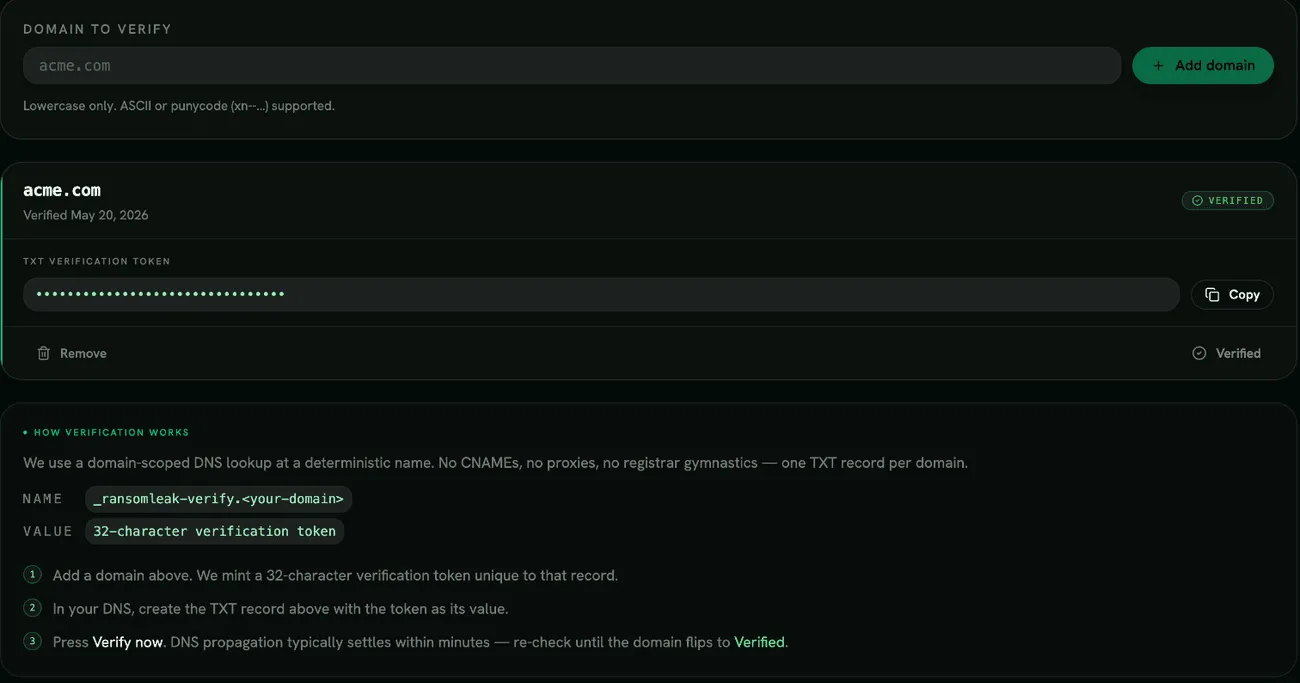
Section titled “Recipient Domains”Every email domain your employees use must be verified. Emails to unverified domains aren’t sent.
- Enter the domain (for example
acme.com) and click Add domain. - Publish the TXT record shown: name
_ransomleak-verify.<your domain>, value the 32-character token. - Click Verify now. If the record isn’t found yet, wait a few minutes and try again.
Each domain shows Pending DNS, Verified or Failed. Remove deletes a domain; if you add it again later, it gets a new token and must be verified again.
Audit Log
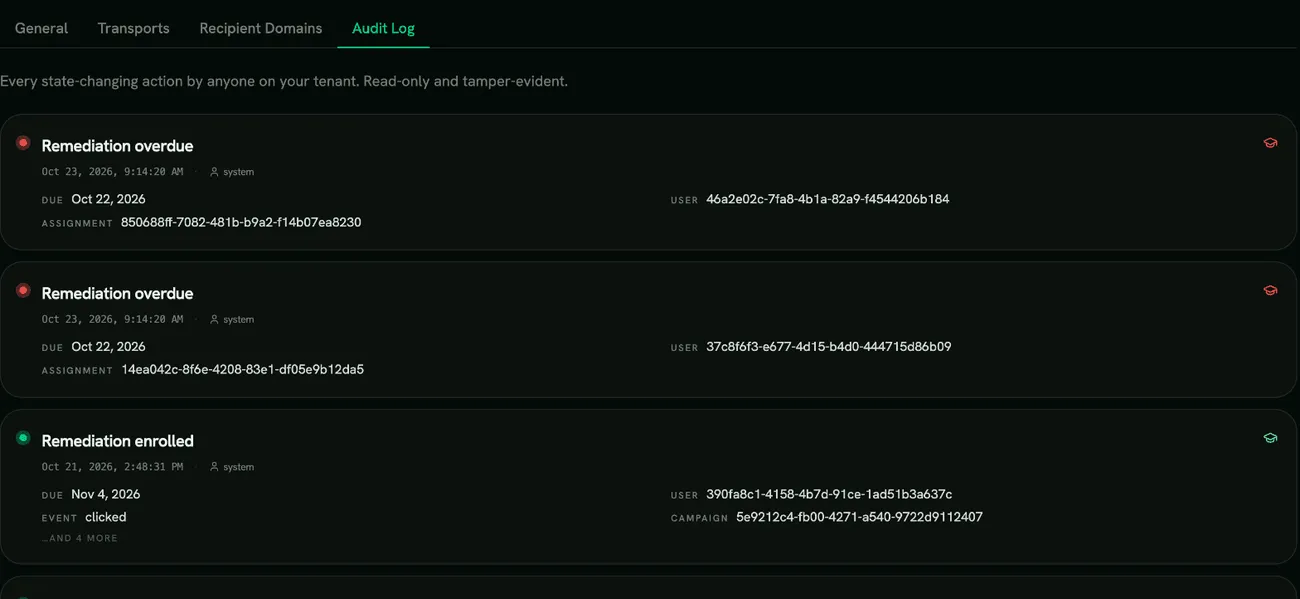
Section titled “Audit Log”The Audit Log tab is a read-only, tamper-evident record of changes in Phishing Simulations, newest first. It includes:
- signing and re-signing the addendum, and suspension or restoration of the feature;
- recipient domains added, verified or failing verification;
- Microsoft 365 and Google Workspace being connected or disconnected;
- simulation emails queued, sent, failed, bounced or reported as spam.
Permissions
Section titled “Permissions”| Permission | What it allows |
|---|---|
| Activate Phishing Simulation | Sign the addendum and turn on the feature |
| Manage Phishing Simulation Campaigns | Campaigns, remediations, templates Library and settings |
| Author Phishing Templates | Write your own templates |
| Launch Phishing Campaigns | Launch campaigns, kept separate so a second person can approve |
| View Tenant Phishing Reports | Analytics across the organization |
| View Team Phishing Reports | Results for direct reports, when Manager visibility is on |
| Export Phishing Reports With PII | Exports with names; without it, exports are aggregated or have names removed |
The Admin role includes all of these. To run the programme on aggregated results only, for example because of works-council rules, move your admins to a custom role without Export Phishing Reports With PII.